Events
Events lists what's coming up at your chapter, and at the circles you're in. Places are limited; once an event is full, you can join its waitlist.
Anyone can see the events our team puts on the public website. RSVPing is for members whose membership includes events.
RSVPing
Open an event and click RSVP. You're going, and we email you your pass.
Can't make it after all? Click Can't make it?, then Cancel my RSVP. Your place goes to the next person on the waitlist. If you were bringing guests, their passes are canceled too, and they get an email.
RSVPs close when the event starts.
The waitlist
When an event is full, the button says Join the waitlist. The page shows your number in line.
If a place opens up, it's yours automatically, in order, and we email you with your pass. If you no longer want to wait, click Leave the waitlist.
Your pass
Your pass is a QR code. It's in the email we send when you get your place, and on the event's page under Your pass. Show it at the door, on your phone or printed.
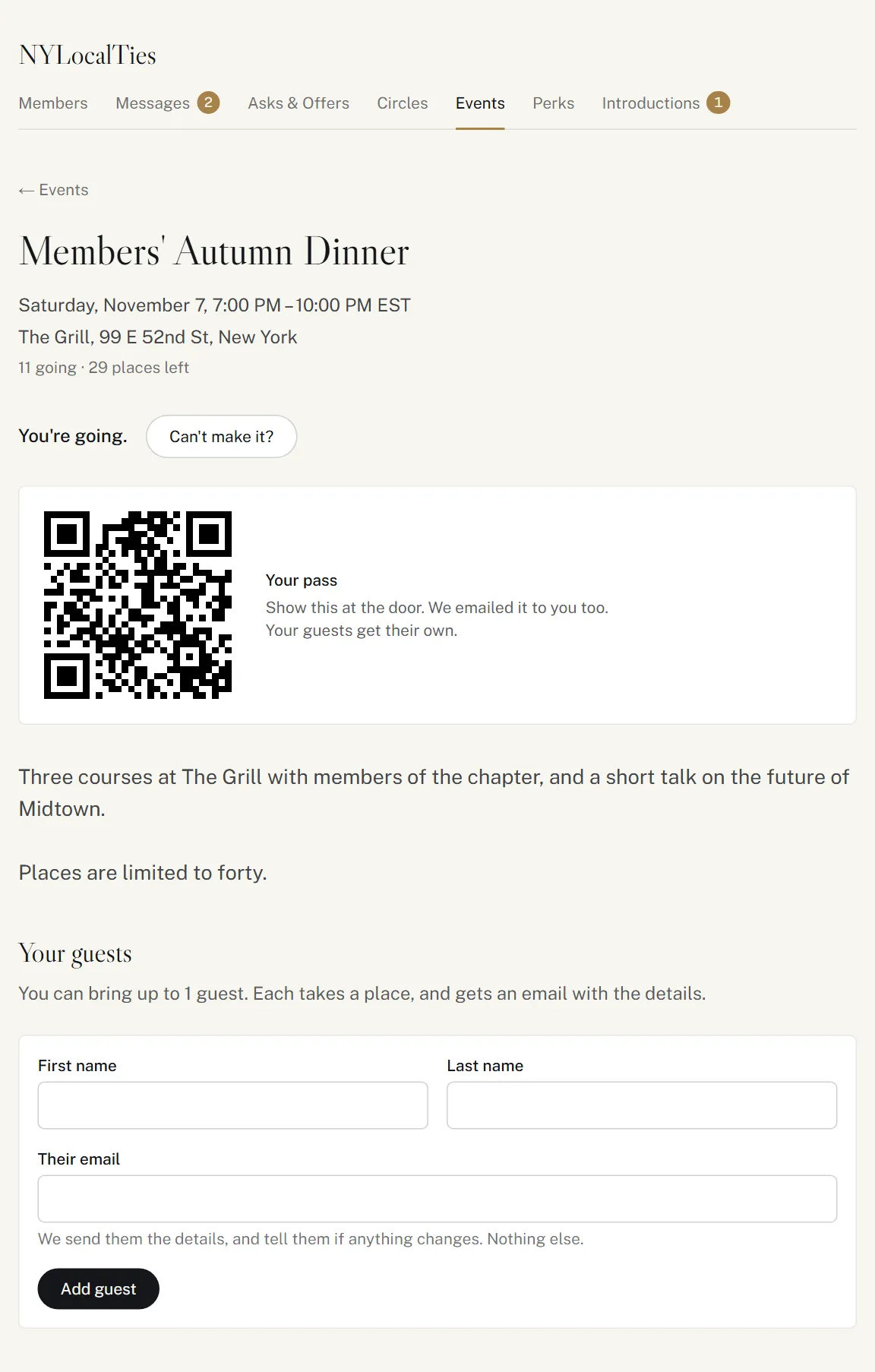
Bringing guests
When an event allows guests, the event's page says how many you can bring. Under Your guests, enter each guest's First name, Last name and Their email, and click Add guest.
- You need to be going yourself, and there must be a free place: each guest takes one.
- Each guest gets their own email with the details and their own pass, and hears if anything changes. We don't email them anything else.
- Other members never see who your guests are.
- To cancel a guest's pass, click Remove. They get an email, and their place goes to the waitlist.
- You can add up to 20 guests a day.
Who's going
The event's page lists the members going, by last name, and how many guests are coming. Members set to Ghost aren't listed by name.
Emails about an event
We email you when:
- you get a place (You're going, or You're in from the waitlist), with your pass;
- the time or place changes;
- the event is canceled;
- our team takes you off the list.
There's no reminder before an event, so add it to your calendar.
Hosting a circle's event
If you host a circle, you can plan events for it: on the circle's page, click Plan an event.
| Field | |
|---|---|
| Name | Up to 120 characters. |
| What to expect | What members read when deciding whether to come. Up to 2,000 characters. |
| Where | Only members who can see the event see it. |
| Starts, Ends | In your chapter's own time. Up to a year ahead, and up to 7 days long. |
| Places | Members and their guests together, up to 1,000. |
| Guests per member | 0 for members only, up to 5. |
The circle's members see it on the circle's page and in their events, and only they can RSVP. You aren't RSVPd yourself: RSVP like everyone else.
On the event's page, under You're hosting:
- Change the details: a new time or place is emailed to everyone going or on the waitlist, and their guests. Adding places moves the waitlist up straight away.
- Cancel this event: everyone going or on the waitlist gets an email. This can't be undone, and an event that has started can't be canceled.
You also see the event's waitlist, in order. Our team runs the door at every event.